
KennowTech Remote Support
Official portal for secure remote assistance via RustDesk
📞 Trust Check: Call/Verify 920-221-1224
Start a secure remote support session
Only use this page if you are actively speaking with KennowTech support. You remain in control at all times and can deny access or end the session whenever you choose.
Quick Start
- Download and open RustDesk.
- Tell Chad your RustDesk ID and the one-time password shown in the app.
- When prompted, click Accept to allow remote control.
Trust check (required)
You should ONLY proceed if you are currently on the phone with KennowTech at:
If anyone told you to visit this page but you are not speaking with KennowTech at that number, close this page.
You should ONLY proceed if you are currently on the phone with KennowTech at:
920-221-1224
If anyone told you to visit this page but you are not speaking with KennowTech at that number, close this page.
Stop immediately if anyone asks for any of the following:
- Banking login, email password, or any account password
- Two-factor / verification codes
- Gift card purchases, crypto transfers, or “refund” payments
For support, you only share your RustDesk
ID and the one-time password shown in RustDesk.
If RustDesk says “Not Ready” (advanced setup) ▾
Only use this section if Chad tells you to. In RustDesk go to: Settings → Network → ID/Relay server and enter the values below.
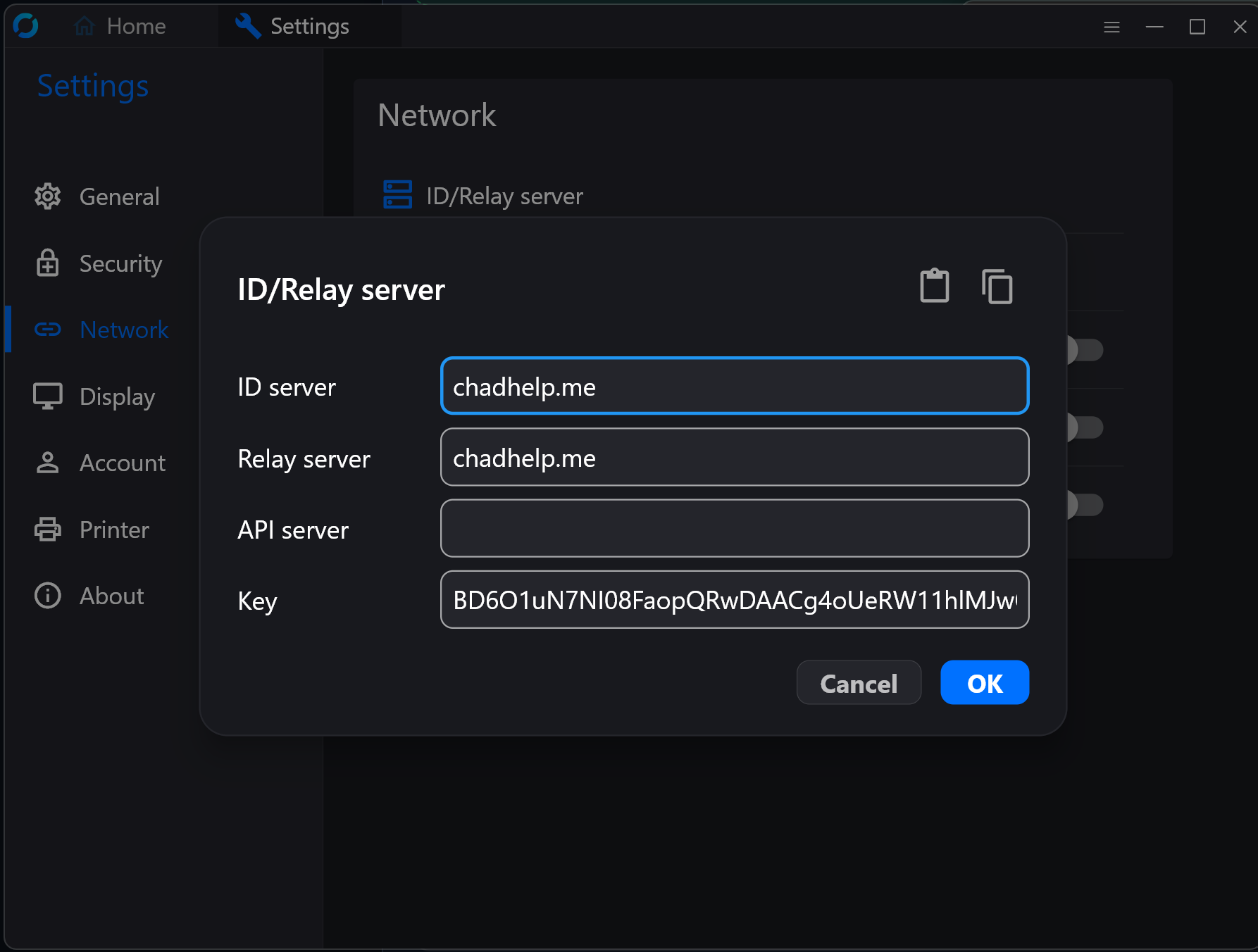
Example: Settings → Network → ID/Relay server
ID server
chadhelp.meRelay server
chadhelp.meAPI server
(leave blank)Key
BD6O1uN7NI08FaopQRwDAACg4oUeRW11hlMJwOqX1PM=After saving, close and reopen RustDesk.